
 Free Quote
NEWS
Amazon EU Sellers: Avoid Sales Restrictions with VAT Compliance
Release time:2024-08-28 15:38
Table of Contents:
1. What Documents Are Required to Comply?
2. How to Provide Valid VAT Registration Information?
3. What Happens If I Do Not Provide Valid VAT Registration Information?
4. How to Restore Your Selling Privileges?
5. VAT Registration Requirements by Country/Region
6. Frequently Asked Questions
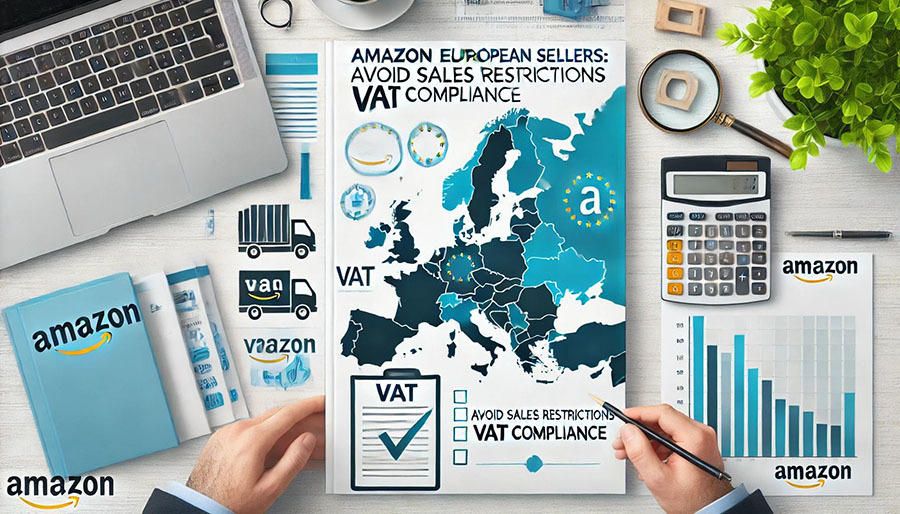
Attention European Sellers:
Amazon is now collecting and verifying VAT registration information for EU member countries, the UK, Norway, and Switzerland. This process is in compliance with government tax authorities to ensure that VAT is consistently and correctly applied to your sales, helping you fulfill your VAT obligations.
If the VAT registration information (legal name and address) you provide on Seller Central does not match the data stored by the official tax authorities, Amazon will request that you update the information either on Seller Central or directly with the tax authority’s database.
Failing to provide or verify valid VAT registration information could result in restrictions on your selling privileges. Be sure to monitor your Seller Central account for notifications or performance alerts. For further details, you can visit the Help page.
1. What Documents Are Required to Comply?
1.1 You must register a valid VAT number for all countries/regions where you have tax obligations.
1.2 Ensure that the VAT registration information you provide on Seller Central matches the legal name and address stored in the official tax authority’s database. You can log in to Seller Central, navigate to Tax Settings, and review or update your VAT registration information.
Note: The address associated with your VAT number on Seller Central must match one of the following:
- Legal Address: The default legal address recognized by government and tax authorities. For companies, this is often the registered company address; for individuals, it may be your residential address.
- VAT Group Representative: If your VAT number is registered under a VAT group address different from your legal address, use this address.
- Fiscal Representative: The address of the fiscal representative you have appointed as a contact for local tax authorities.
- Tax Authority: The official address of the tax office in the country/region where your VAT number is registered.
- Service Provider: The address of the service provider managing your tax filings.
- Other: If the address associated with your VAT number does not fall under the above categories, select this option.
Amazon has updated its platform to allow you to select and submit the appropriate address when entering VAT information on Seller Central. If the address you provide is not your legal address, Amazon may require documentation proving your relationship with the address.
To successfully verify your VAT number, you must meet both of the following criteria: (1) the VAT registration information submitted on Seller Central is valid, and (2) the legal name and address match the information stored in the official tax authority’s database. You can update the data stored in the tax authority’s database or amend the information provided on Seller Central to ensure consistency.
2. How to Provide Valid VAT Registration Information?
To provide valid VAT registration information, follow these steps:
1. Log in to Seller Central.
2. Navigate to the Amazon Tax Settings page to review or update your VAT registration information.
Amazon will verify whether the VAT registration information you provide matches the data stored in the relevant tax authority’s database.
Note: In some countries/regions, a taxpayer identification number (TIN) registration may be required before obtaining a VAT number.
If you receive a performance notification requesting valid VAT registration information but believe an exemption applies, contact Seller Support via the Help section on Seller Central.
You can also visit the Amazon Help page directly.

3. What Happens If I Do Not Provide Valid VAT Registration Information?
Valid VAT registration information must meet both of the following requirements:
- You must register a valid VAT number for all countries/regions where you have tax obligations.
- The legal name and address associated with your VAT number must match the information provided on Seller Central and the relevant tax authority’s database.
If these criteria are not met, your VAT registration may fail verification, potentially leading to restrictions on your selling privileges. Please monitor your Seller Central account for issue logs or performance notifications.
4. How to Restore Your Selling Privileges?
To restore your selling privileges, follow these steps:
- Log in to Seller Central.
- Navigate to Tax Settings and provide valid VAT registration information.
- Once submitted, Amazon will verify your VAT registration information. Upon successful verification, your selling privileges will be restored.
Note: It may take up to one week to restore your account. For additional questions about the restoration process, contact Seller Support via the Help section on Seller Central.
5. VAT Registration Requirements by Country/Region
For more information on VAT registration requirements and rates across the EU and various countries/regions, you can visit the following government resources:
- European Commission - National Tax Websites
- UK Gov.uk - How VAT Works: [How VAT Works]
- Norwegian Tax Administration - VAT: [Norwegian VAT]
- Swiss Federal Tax Administration - VAT: [Swiss VAT]
6. Frequently Asked Questions
1. Seller Alice: When is VAT registration required?
Regardless of whether your business is registered in China or overseas, you must comply with VAT obligations as required by government tax authorities. Since the implementation of the VAT collection policy in July 2021, VAT registration is triggered when you use Fulfillment by Amazon (FBA) services, store products in European warehouses, sell to business buyers, engage in cross-border transactions within the EU, or exceed certain sales thresholds.
These are common scenarios that trigger VAT obligations, but they are not exhaustive. Amazon recommends consulting your tax advisor to fully understand your VAT obligations for each country/region where you sell goods.
2. Seller Billy: How can FBA sellers check their current inventory settings to determine if VAT registration is required?
Log in to Seller Central, click on Settings in the top right corner, then select Fulfillment by Amazon. Click Edit to access the Amazon Pan-European FBA service page and review your current inventory settings and VAT compliance status.
3. Seller Charlie: I use FBA services but am unsure which countries have inventory stored. How can I check historical inventory?
Log in to Seller Central, navigate to the top-left menu, and select Reports > Tax Document Library > Amazon VAT Transaction Report (AVTR). You can download up to one quarter of historical inventory data at a time.
4. Seller Daisy: Where can I check the status of my VAT number and associated addresses?
- If you are located in the UK, visit the HMRC’s official VAT validation website to verify your UK VAT number. Visit the UK HMRC VAT Validation.
- If your VAT number is marked as “valid” in green, the corresponding Registered Business Name and Registered Business Address will be displayed for comparison with the information provided on Seller Central.
- If your VAT number is marked as “invalid” in red, contact your tax advisor immediately to identify the issue and resolve it.
- Once your VAT number is marked as “valid,” remove the previous VAT information from Seller Central and upload the updated details for Amazon’s verification.
- If you are located in the EU, input your EU VAT number into the VAT Information Exchange System (VIES) to confirm its validity within the EU system. Select the member state, then enter your VAT number, ensuring no spaces before or after the digits. Visit the EU VIES VAT Validation.
Note: The VIES website will only confirm VAT number validity for Germany and Spain; it will not display specific names and addresses.
- For German sellers, compare the information on your VAT registration confirmation (Bescheid über die Erteilung einer Umsatzsteuer-Identifikationsnummer) received from the German tax authorities with the data on Seller Central.
- For Spanish sellers, contact your tax agent to verify the legal name and address submitted when registering your VAT number.
5. Seller Eason: If I am registered for the Union One-Stop Shop (UOSS), do I still need to provide a VAT number?
If you qualify for and are registered under the Union One-Stop Shop (UOSS), Amazon will require you to provide the relevant UOSS registration details to fulfill your tax obligations.
6. Seller Fiona: I plan to launch on Amazon’s European sites. How can I use my VAT number to expand my business in Europe?
You can join Amazon’s Pan-European FBA program (Pan-EU). Only countries with enabled storage settings will benefit from Pan-EU advantages. Countries without enabled storage settings will be served through the European Fulfillment Network (EFN). Enabling storage in more countries allows you to enjoy Pan-EU benefits in more regions, saving approximately 55% on cross-border fulfillment fees.
RECOMMENDED ARTICLES

Feb 21,2024
The Essential Guide to Customs Brokerage for European E-Commerce Entrepreneurs
Aug 26,2024
2024 European Social Commerce Report: Market Insights and Platform Performance

Mar 22,2024
Automated Manifest System (AMS)

Mar 25,2024
What is a Port Community System (PCS)?

Mar 22,2024
Shipper's Letter of Instruction (SLI)

Mar 22,2024
What Is the Meaning of LTL Freight and How Can It Work for You?

With over 14 years of experience in e-commerce logistics industry, FBABOX has gained the expertise and knowledge to guarantee our customers' global and domestic shipping practices are efficient and effective.


CONTACT US
Copyright: FBABOX.COM 闽ICP备2025097571号-1